Keel · Guides · Account & Data
Delete this device's data or your account
What does deleting my data remove?
Signing out, deleting this device's data and deleting an account are different actions.
AvailabilityFree
Understand the scope
Signing out, deleting this device's data and deleting an account are different actions. Deletion cannot be undone in Keel. If you want an exported copy, make and check that copy first.
This device
- While signed out, open Settings › Danger zone › Delete all data.
- Read Delete all data? and its device-only explanation.
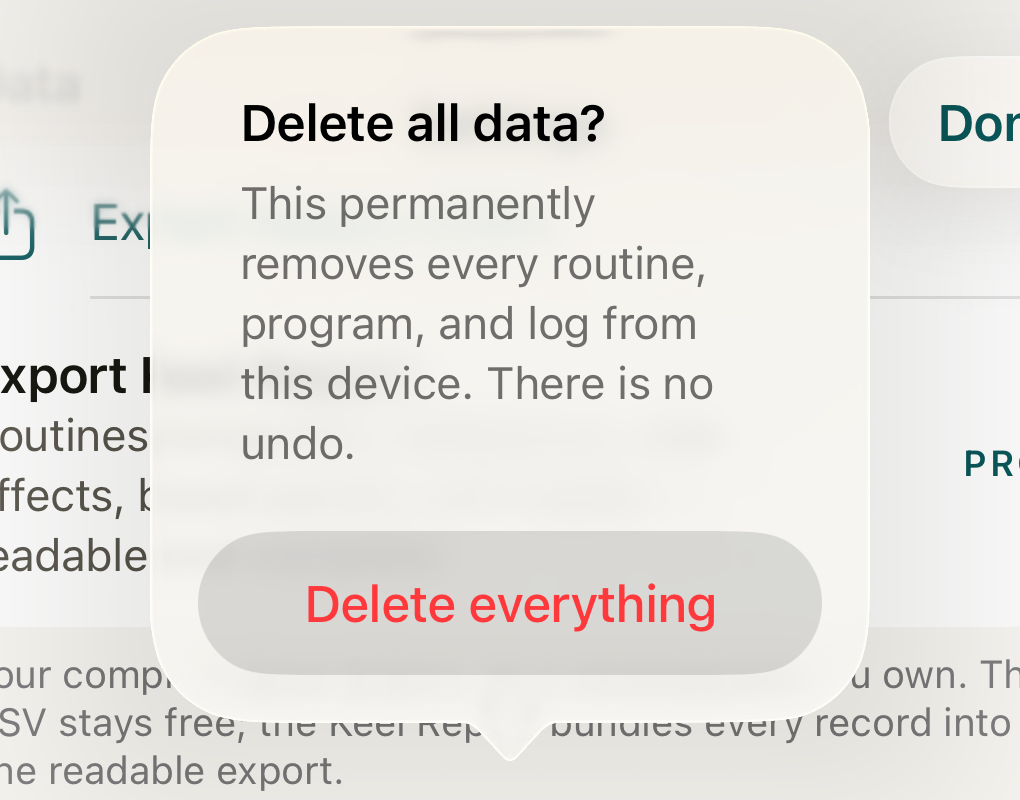
The signed-out confirmation concerns this device’s stored records; tapping outside the dialog keeps them, and Delete everything is a separate irreversible choice. DisclosureNo Cancel button is drawn on this dialog; tap outside it to dismiss.
- scope sentence
- Delete everything
Where this screen comes from
- File
B4-F7-1-delete-all-data-dialog.png(1020×800);B4-F7-1-delete-all-data-dialog.webpis a lossy encode of it- Derivative SHA-256
ac5351cf81bbf075e47e55f92382aa13ba534aa78cb697262b6f7b75142d4970- Source
B4-F7-1.pngin packageKeel-WT-7e41269-guide-figures-B4-signedout-20260924-133646-29779- Source SHA-256
4850ac3af71ca0cdd828ee73814be056432fd026601d8afb2d2f222b71658ff5- Package seal
e67585e94b1f017c4abb15a1bf7753972ae1beb1682847a6c41123de5a2738fe- Captured from
- Keel 1.0.0 (1), implementation
working tree 7e41269 (NOT a candidate; head 7e4126919da3a44a9ad2f2efaf3ad2467c1fbff7, build-input tree e68d5177c4229cbfc9a88a9e8bdad667ebf011692826b6bd4359833508618f28, build build-20260924-132854-26131) - Operation
- crop x150 y190 w1020 h800 (source pixels, origin top-left)
The numbered markers are drawn by the page, not into the image.
- The confirmation shows one button, Delete everything; no Cancel control is drawn — tap outside the dialog to keep the data, and choose Delete everything only when you intend to remove it.

Account
- While signed in, open Settings › Danger zone › Delete account.
- Read the account confirmation. It closes the account and removes its server-backed records, then clears this device.
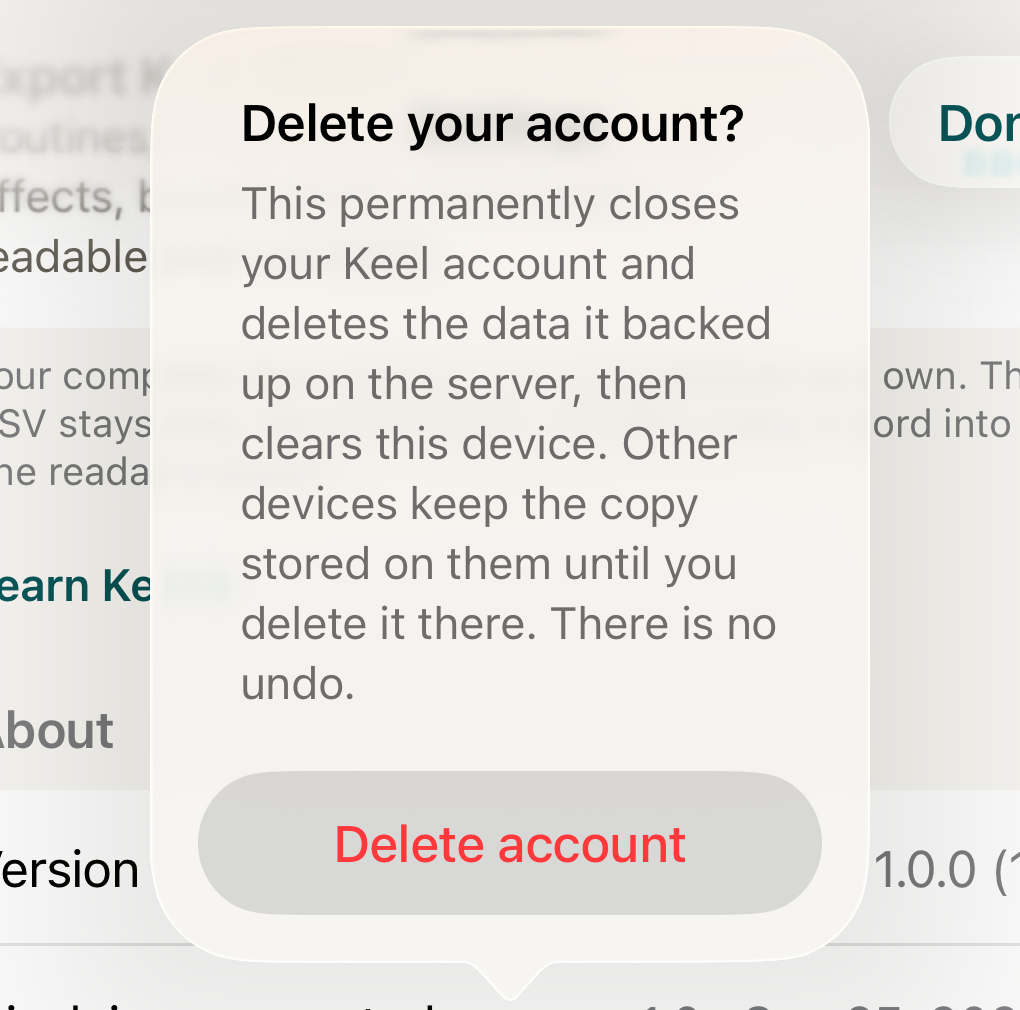
The account confirmation separates server deletion and this device's clear from copies on other devices; this capture stops before any destructive action. DisclosureCaptured on a newly created dedicated simulator with a fictional signed-in presentation (no authentication happened and no account exists); the dialog was opened and then dismissed by tapping outside it, so nothing was deleted. On this iOS version the confirmation draws no Cancel control.
- scope sentence
- Delete account
Where this screen comes from
- File
B4-F7-2-delete-account-dialog.png(1020×1010);B4-F7-2-delete-account-dialog.webpis a lossy encode of it- Derivative SHA-256
1e65eb11081b076c34a0f5498c7e36a0a4f2adb9ae1b6af7766f2f5ca8d847b3- Source
B4-F7-2.pngin packagelearn-keel-account-confirmation-capture-20260925-r4/package- Source SHA-256
8ed1611d67efcac4ec911346c9a10d0cc3280a43aeb371e18ea7ebcac777c9a0- Package seal
ef534c19000ff1426bf578694e9573af03c38b1b07f615a0c00ae8c945554436- Captured from
- Keel 1.0.0 (1), implementation
working tree 7e41269 + integrated method candidates (NOT a candidate; head 7e4126919da3a44a9ad2f2efaf3ad2467c1fbff7; DEBUG bound build build-20260925-050703-93657, keel=c89e335d…) - Operation
- crop x150 y190 w1020 h1010 (source pixels, origin top-left)
The numbered markers are drawn by the page, not into the image.
- The confirmation shows one button, Delete account; no Cancel control is drawn — tap outside the dialog to keep your account, and choose Delete account only when that is what you intend.

What changes
Other devices keep their locally stored copies until you delete them there. Deleting only this device's data is unavailable while signed in. Its Delete all data dialog routes to account deletion instead.
Where: Settings
If it looks different
- If it fails
- A failure before account deletion completes leaves local data in place and shows an error. If the account was deleted but this device could not be cleared, the message says so and directs you to Delete all data to retry the local clear. Do not assume the account still exists because rows remain on the screen.
These controls remove stored records; they do not change what happened or provide medical guidance.